By clicking a retailer link you consent to third-party cookies that track your onward journey. This enables W? to receive an affiliate commission if you make a purchase, which supports our mission to be the UK's consumer champion.
Laptop sun shades for summer: 7 top tips to help you work from home
Learn how to safely use your laptop outside on a toasty day and use our expert tips to improve your wi-fi connection
With over a decade of experience at Which?, Tom covers everything from tech advice to money-saving tips, and highlights the best deals during major sales events.
If you're working from home on a hot day, it can be tempting to take your work outside to soak up the sun. But before you do, it's important to take steps to protect yourself and your tech from the heat.
There are plenty of ways to keep your laptop protected – you can use a heat-resistant laptop sun shade, an umbrella with a table clamp or even a spare cardboard box (more on that later). But don’t forget to consider how you’ll power your laptop, and whether it can maintain a good connection away from your router.
Keep scrolling for tips on working from home in the sun, plus a quick recipe for a delicious iced coffee to keep you cool.
1. Make sure your laptop doesn't overheat
Laptops aren't designed to work in boiling temperatures for a long time, so make sure your machine is well protected against the elements. Get into the habit of checking the underside now and then — if it feels noticeably hotter than usual, it’s a good idea to move to a cooler spot.
Make sure your laptop's fan isn't blocked. Resting your computer directly on the grass, for example, smothers the fan and increases the chance of the laptop overheating.
If you notice dust in your laptop’s fan, avoid using compressed air, as it can damage sensitive components. Instead, power down your laptop, remove the battery if possible, and use a microfibre cloth.
If you can't move to a shady spot outside, you can try a laptop sun shade, also known as a laptop tent. You'll typically find them online for between £20 to £50.
Below, we've listed a couple of sun shades available on Amazon – your options vary based on the size of your laptop display. Note that we haven't tested these products in our lab.
Alternatively, consider using a parasol (perhaps you have one as part of a garden furniture set). An umbrella would do the job, too. You can buy a clamp for around £20, use a bulldog clip, or tie it to something sturdy.
You can also try the 'cardboard box hack', removing one of the sides of the box and placing your laptop inside. But if you decide to give this a go, your laptop must have enough room to breathe.
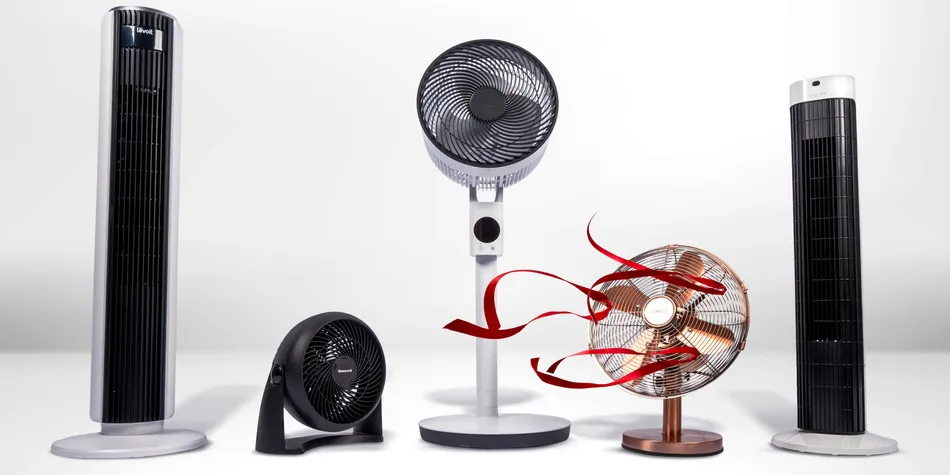
Beat the heat with our expert guide to the best fans.
2. Increase your screen brightness
If you're working outside on a sunny afternoon, you'll no doubt need to increase the brightness of your screen to battle against the glare.
Try this:
On Windows – select Start > Settings > System > Display, then adjust the Brightness slider.
On Mac — press the brightnesskeys at the top of your keyboard (look for the sun icons). If your Mac has a Touch Bar, tap the brightness icon and drag the slider left or right.
Get more from tech
free newsletter
Cut through the jargon with our free Tech newsletter.
Our free Tech newsletter delivers tech-related content, along with other information about Which? Group products and services. We won't keep sending you the newsletter if you don't want it – unsubscribe whenever you want. Your data will be processed in accordance with our privacy notice.
3. Manage your battery life
Increasing your screen brightness will affect battery life. You can solve this by plugging your computer into a power source, but that might not be an option if you're at the far end of the garden without an extension lead. Try this instead:
On Windows 10 – try the Battery saver feature, which limits notifications and background activity when the battery is running low. Go to Settings > System > Battery.
On Windows 11 – go to Settings > System > Power & battery, then scroll to Battery saver.
On Mac – click the battery icon at the top of the screen to see how much charge is left. Select Battery Settings to turn on Low Power Mode, which reduces energy use to help extend battery life.
If your laptop's battery life is frustratingly bad, use our expert pick of the best laptops to choose a new model.
4. Use a wi-fi extender if your connection is poor
Taking a video call while you're sitting outside will only work if you have a stable internet connection. To increase the range of your home wi-fi, consider getting a wi-fi extender. These amplify and repeat the wireless signal originating from your router to extend its reach.
Alternatively, you can try sharing a signal with your smartphone. If you're paying for a data plan, you can activate the hotspot feature so your computer can connect to the internet. Before you do, check with your provider to see what your monthly hotspot data allowance is. If you're downloading large files, you risk blowing through your data allowance.
A long ethernet cable could also do the trick, with a 10m cable costing around £10. One end plugs into your router and the other into your computer. Be careful about yourself or others tripping over the cable, though, and make sure it doesn't get wet.
Below are some of the best-performing wi-fi extenders from our tests:
Product
Which? test score
Coverage
Stress test
Sign up to reveal
Get instant access to this and all our scores and recommendations
You can join Which? to unlock the table above and our guide to the best wi-fi extenders.
5. Try noise-cancelling headphones
To stay focused on your work, and to block out noisy neighbours, consider a pair of noise-cancelling headphones. As an added bonus, some feature a built-in microphone that'll come in handy when you're on a call.
When reviewing headphones, we test noise cancelling in two ways. Firstly, our lab uses a synthetic reference ear to test a headphone’s noise cancelling under controlled conditions. For headphones with Active Noise Cancelling (ANC), this is tested with ANC both enabled and disabled. Secondly, our professional listening panel try the noise cancelling for themselves and give their verdict.
Below are some of the noise-cancelling headphones we recommend, based on our expert tests:
Product
Which? test score
Sound quality
Comfort
Sign up to reveal
Get instant access to this and all our scores and recommendations
When working outside on your laptop for hours at a time, make sure you're sitting correctly.
Ideally, you need to be using an ergonomic chair that provides adequate back support. But even if you don't have an ergonomic chair that you can wheel outside, there are various ways to alleviate muscle tension.
Make sure your lower back is supported – you can use a cushion, if necessary, or a rolled-up towel. Position your knees so they're slightly lower than your hips (a footrest might help) and check that your wrists and forearms are straight and level with the ground.
Your screen should be positioned directly in front of you so you don't have to bend your neck to read from it. If you need to raise your laptop, you might want to consider a laptop stand for around £30.
Our guide to the best office chairs has more details on ergonomics and how to avoid back pain when sitting.
7. Limit your time in the heat and use sun cream
It's important to stay protected from the sun, so make sure you're using sun cream. It makes sense to avoid the hottest parts of the day (to stop both you and your technology from overheating), so having your lunch break indoors might be a good idea.
Apply sun cream 15 minutes before you head outside. Experts recommend you should top up every two hours or so, although you might need to reapply it sooner if you find yourself sweating a lot.
One Which? researcher told us they like to set up their foot bath with cold water on particularly hot days, adding: 'It helps to regulate my body temperature and I never get too hot. Of course, I am careful to be away from plugs and have a towel nearby.'
Opt for an iced coffee over your regular hot drink – it's a breeze to make, whether you have a coffee machine or not. See how to make iced coffee if you want to give it a try.
For everything you need to know about choosing a sun cream and applying it properly, see our guide to the best sun creams.
Join Which? Tech Support
Save 50% - Get tech help from humans
Our friendly team can help you fix tech issues, stay safe online, and get more from your devices. Get 12 months of tech support and buying advice for only £24.50. We’ll help you take control of your tech.
Save 50% - was £49, now £24.50. Offer ends 31 October 2026
Which? Tech Support can help you keep on top of your home tech. Our experts explain things clearly so you can resolve issues and feel more confident using your devices.
Get unlimited 1-2-1 expert support:
By remote fix – we connect securely from our office to your home computer and resolve issues while you watch
By phone – clear guidance on choosing, setting up, using and resolving issues with your home tech devices
By email – outline the issue and we’ll email you our answer
In print – Which? Tech magazine, six issues a year delivered to your door.